PixReel Pro documentationGallery setup
Where the gallery appears
Replace the WooCommerce gallery automatically, or place it with the shortcode.
Automatic replacement
In Pro, open PixReel Pro → Settings and turn on “Automatically replace the WooCommerce product gallery”. PixReel then takes the place of the standard single-product gallery, and no shortcode is needed.
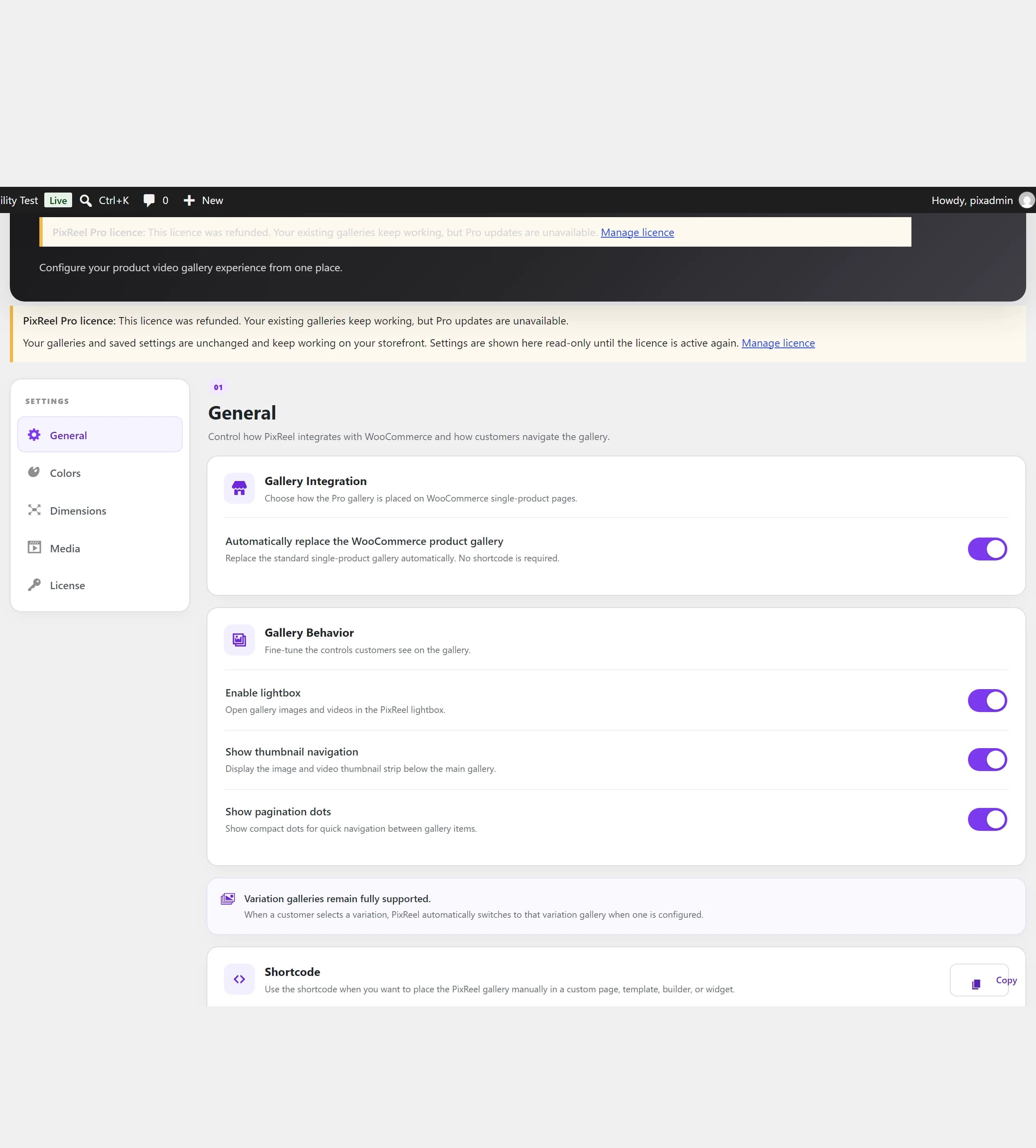
Shortcode placement
To control where the gallery sits — in a custom template, a page builder, or a widget — use the shortcode instead. It renders only on a product page.
[pixreel_product_gallery]If the shortcode is already in the product content, automatic replacement steps aside so the gallery is never output twice.
Appearance
- General: gallery integration, lightbox, thumbnail strip, pagination dots.
- Colours: match the gallery to your store branding.
- Dimensions: gallery sizing and spacing, without editing CSS.
- Media: autoplay, muted playback, looping and native controls.